Quote jobs in minutes. Know your cost per acre.
Pull the real parcel lines, price the acreage from your rate card, and send the quote before you leave the driveway.
14-day free trial. No credit card.


- Price
- $149/month flat
- Users
- Unlimited
- No signal?
- Works offline
- Runs on
- iPhone, Android, web
01Bid
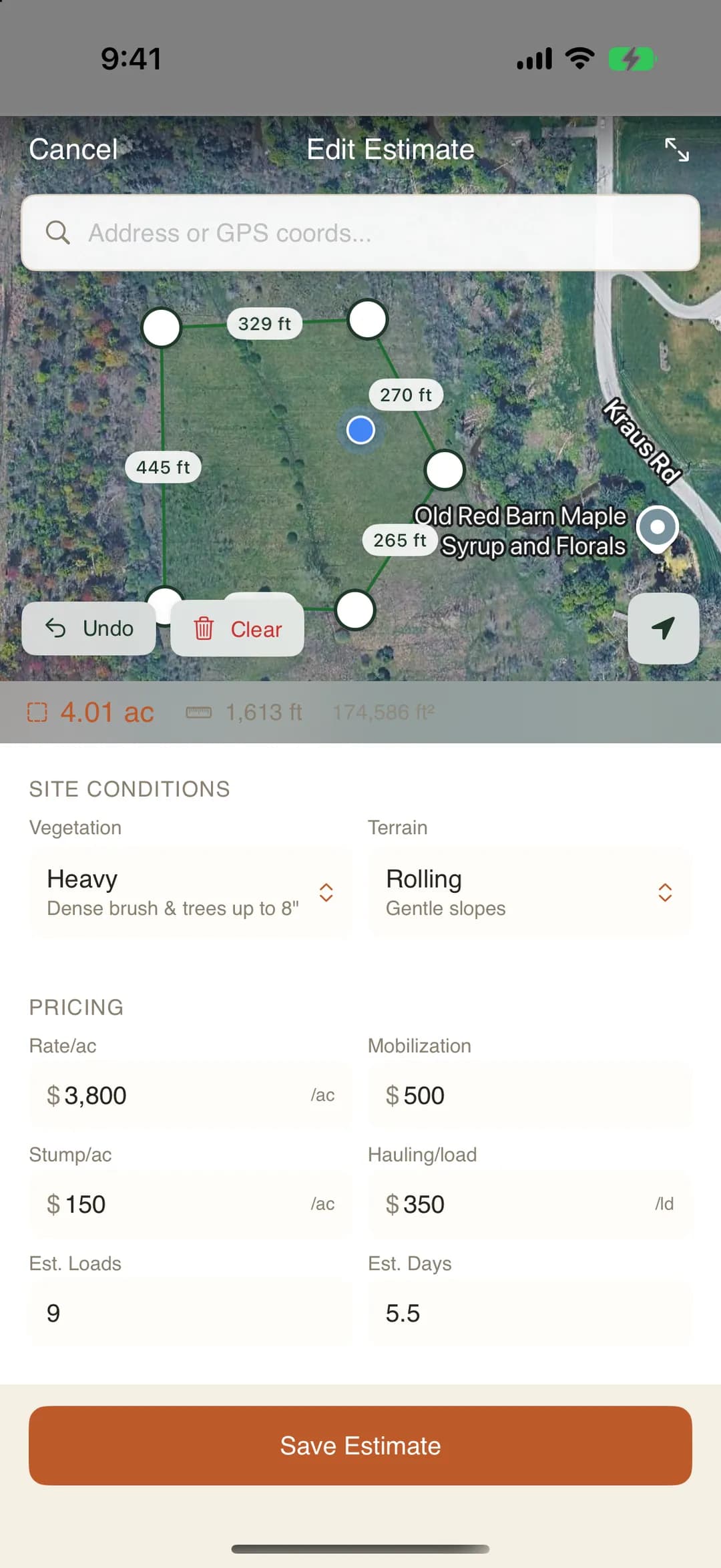
Type the address. Get the real parcel lines.
This is the real estimate engine from the app, running right here on the page. Type an address, trace the boundary on satellite, and get the acreage. No signup.
The old way: Customer calls for a quote. You grab a legal pad and drive out to eyeball it.
- Parcel lines
- Loaded from county records for the address you type
- Work area
- Trim the parcel to the clearing, or draw it yourself
- Acreage
- Measured from the polygon, not guessed
02Price
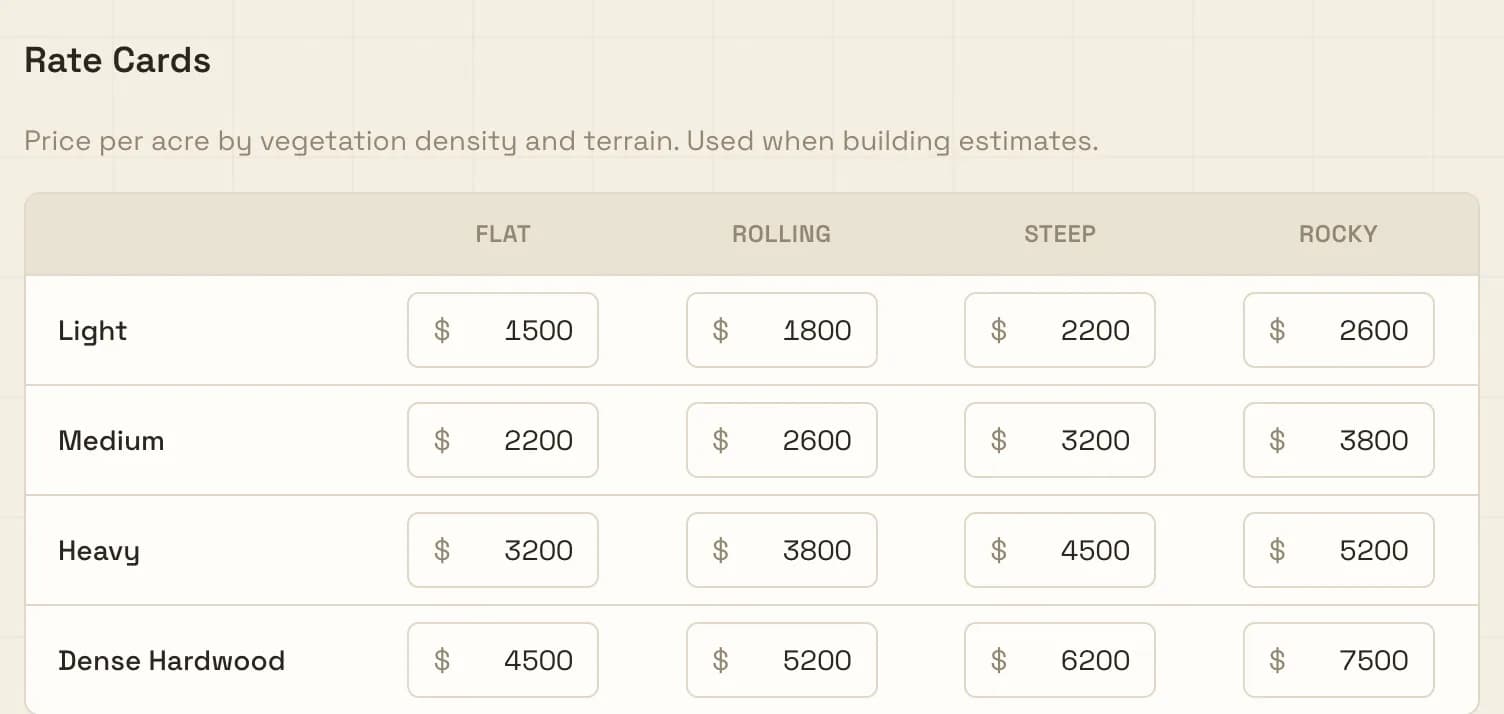
Your rate card does the math. The quote goes out from the truck.
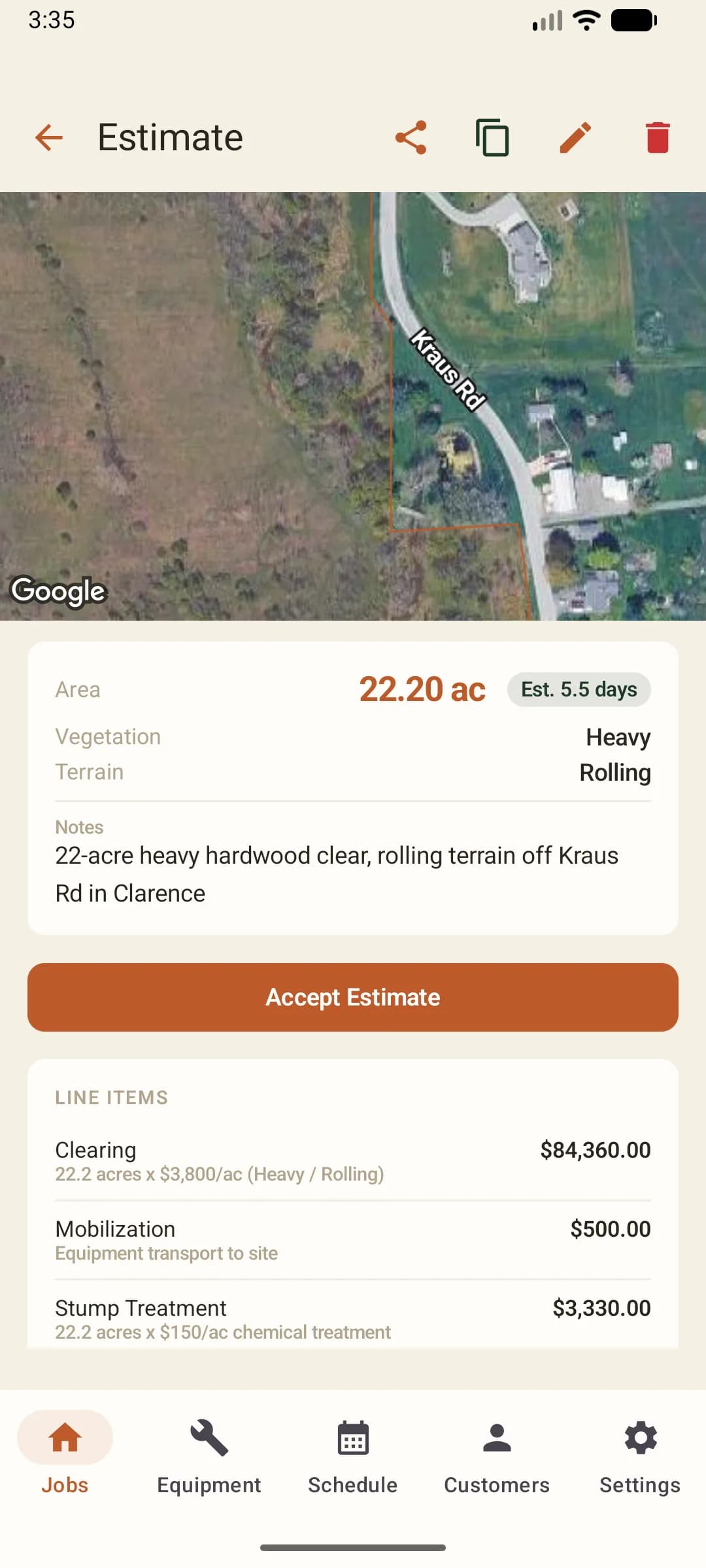
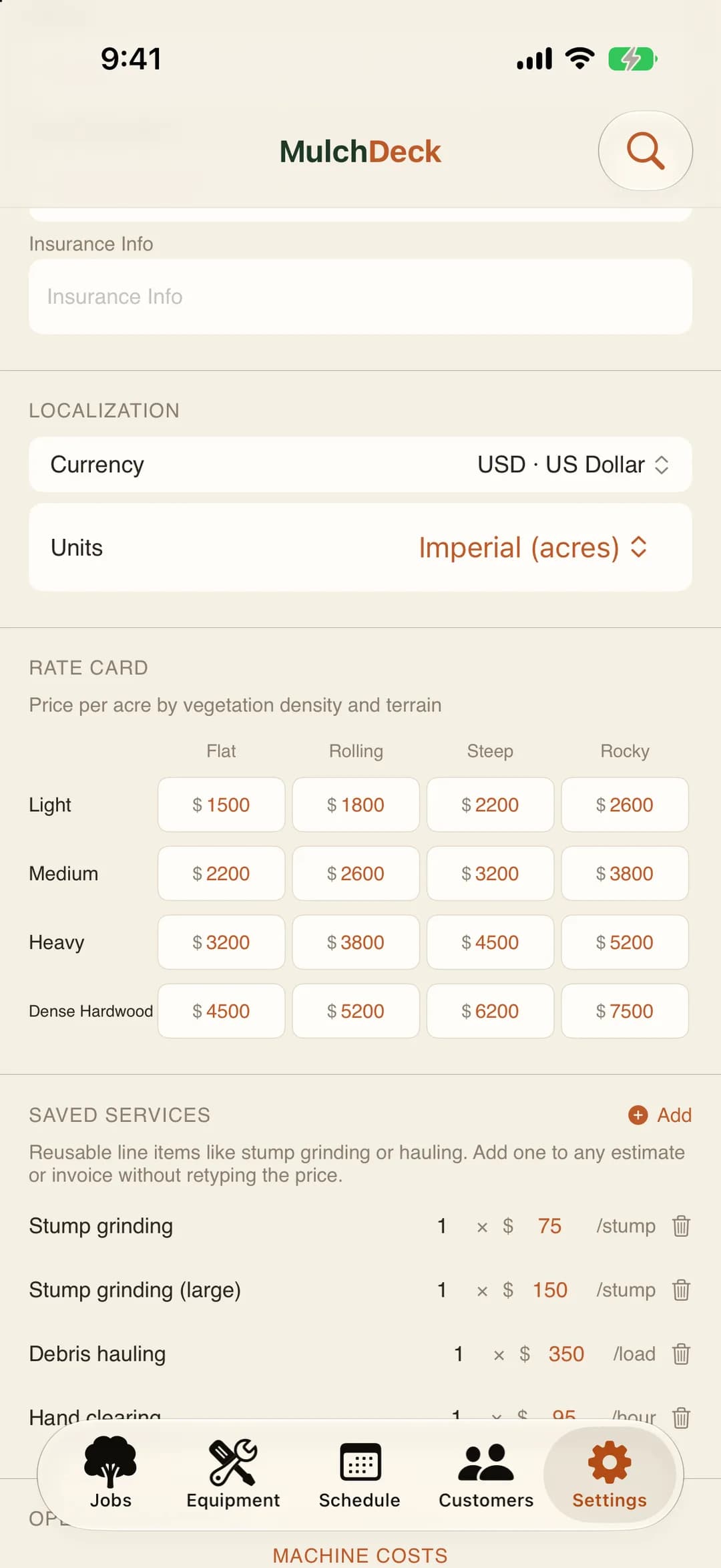
Set your prices once, by vegetation density and terrain. Every estimate fills the per-acre price from them. One tap builds the quote PDF, their lot on the front, and it can go out before you pull off the property.
The old way: Back at the shop, trying to remember the acreage and what was dense hardwood vs light brush, then typing the quote up in Word.
- Rate card
- 16 per-acre prices, vegetation density x terrain
- Add-ons
- Mobilization, stump treatment, hauling
- Weather
- On every estimate
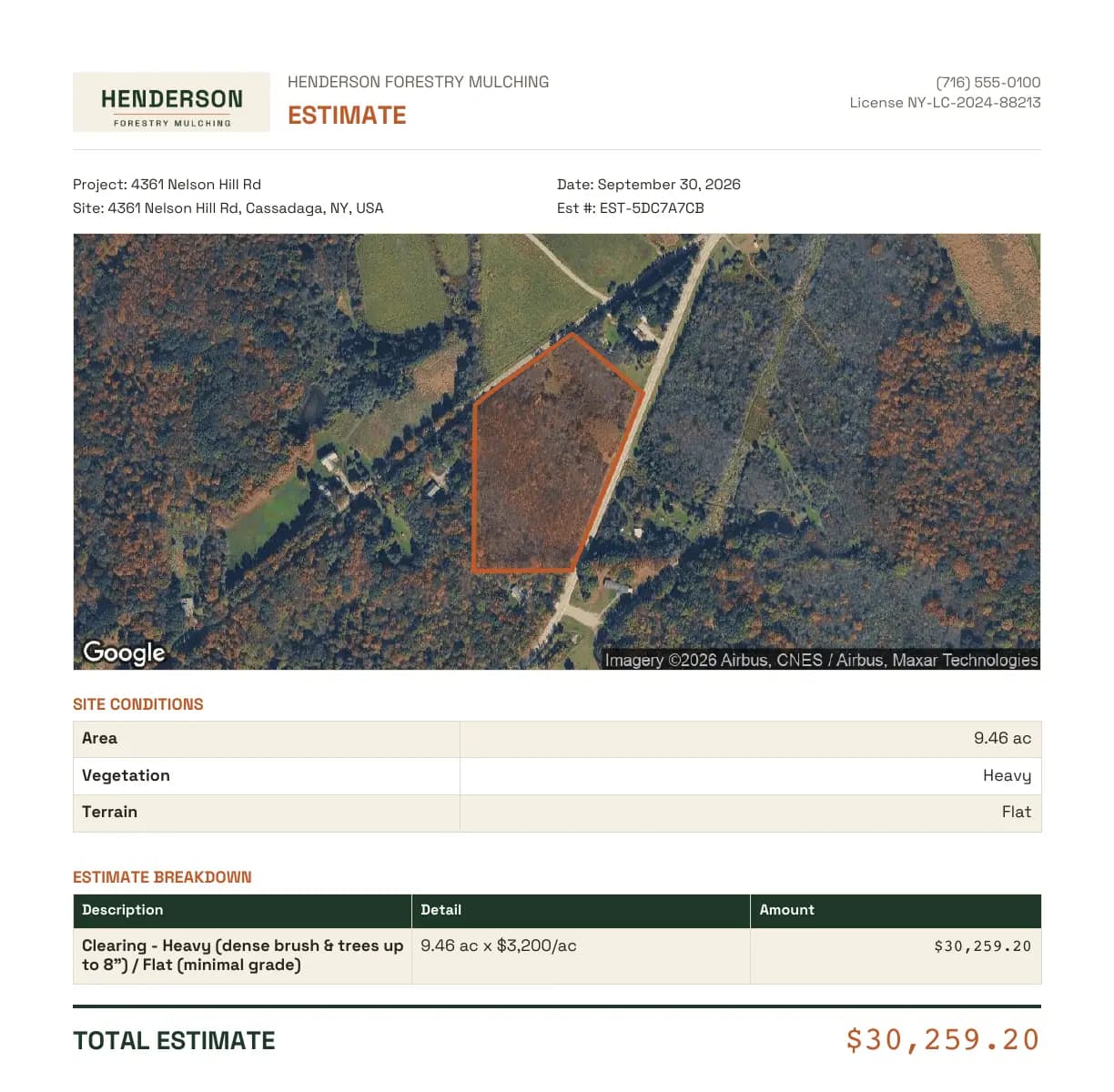
What the customer gets
A quote they can print, with their own property on it. The same quote comes out of the iPhone app, the Android app, and the web.
- Letterhead
- Your logo, business name, phone, and license number
- The lot
- Satellite picture with the parcel outline drawn on it
- The numbers
- Acres, vegetation, terrain, each line item, and the total
- Sending
- Share it from your phone, or download it on the web
Price your next bid with it.
14-day free trial. No credit card.
03Run the job
Log the job from the field. Even with no signal.
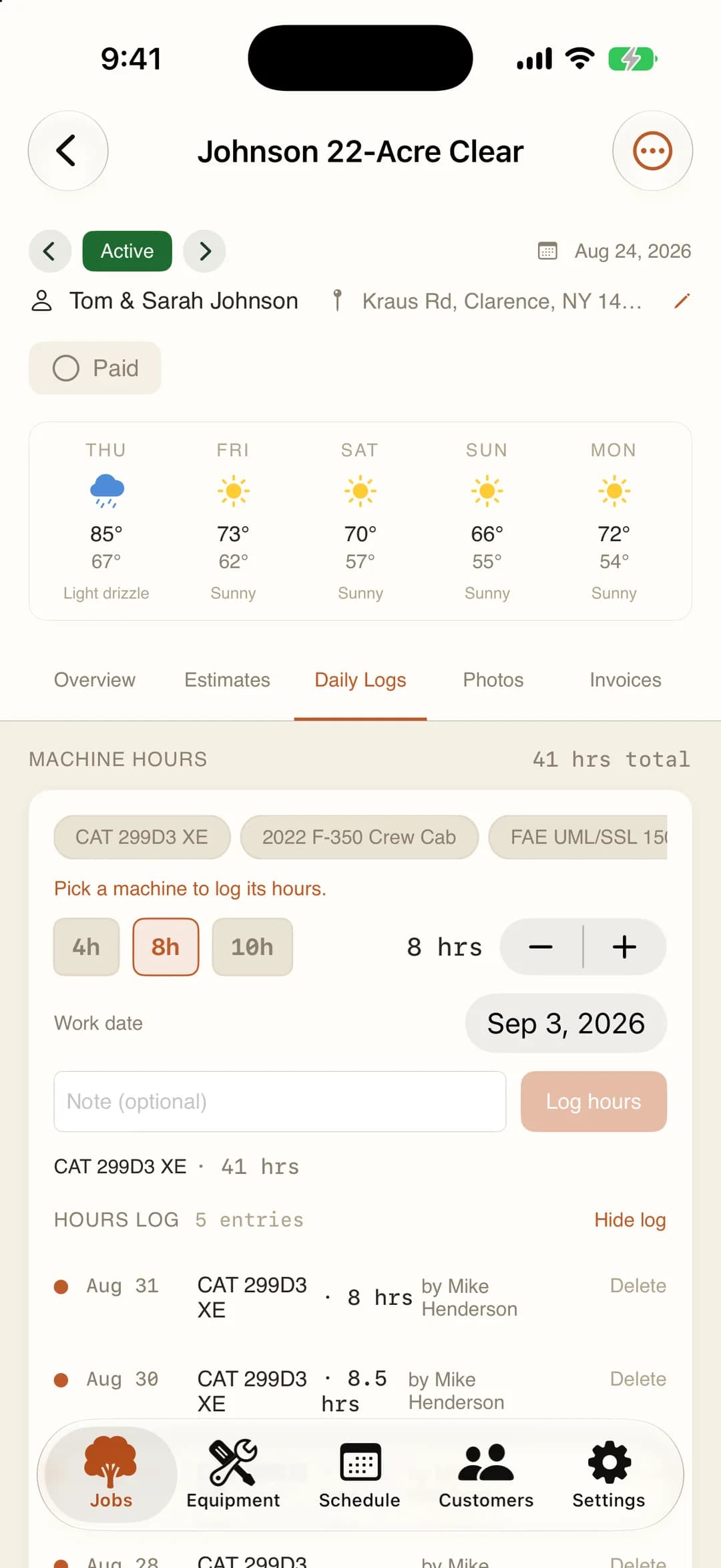
Crews log hours, fuel, and teeth from the phone, with before and after photos per day. Know your actual cost when the mulcher loads out.
The old way: Guessing your cost per acre because you don't track teeth and fuel by job.
- Daily log
- Machine hours, fuel, and carbide teeth, per day
- Photos
- Before and after, GPS-tagged, into a PDF
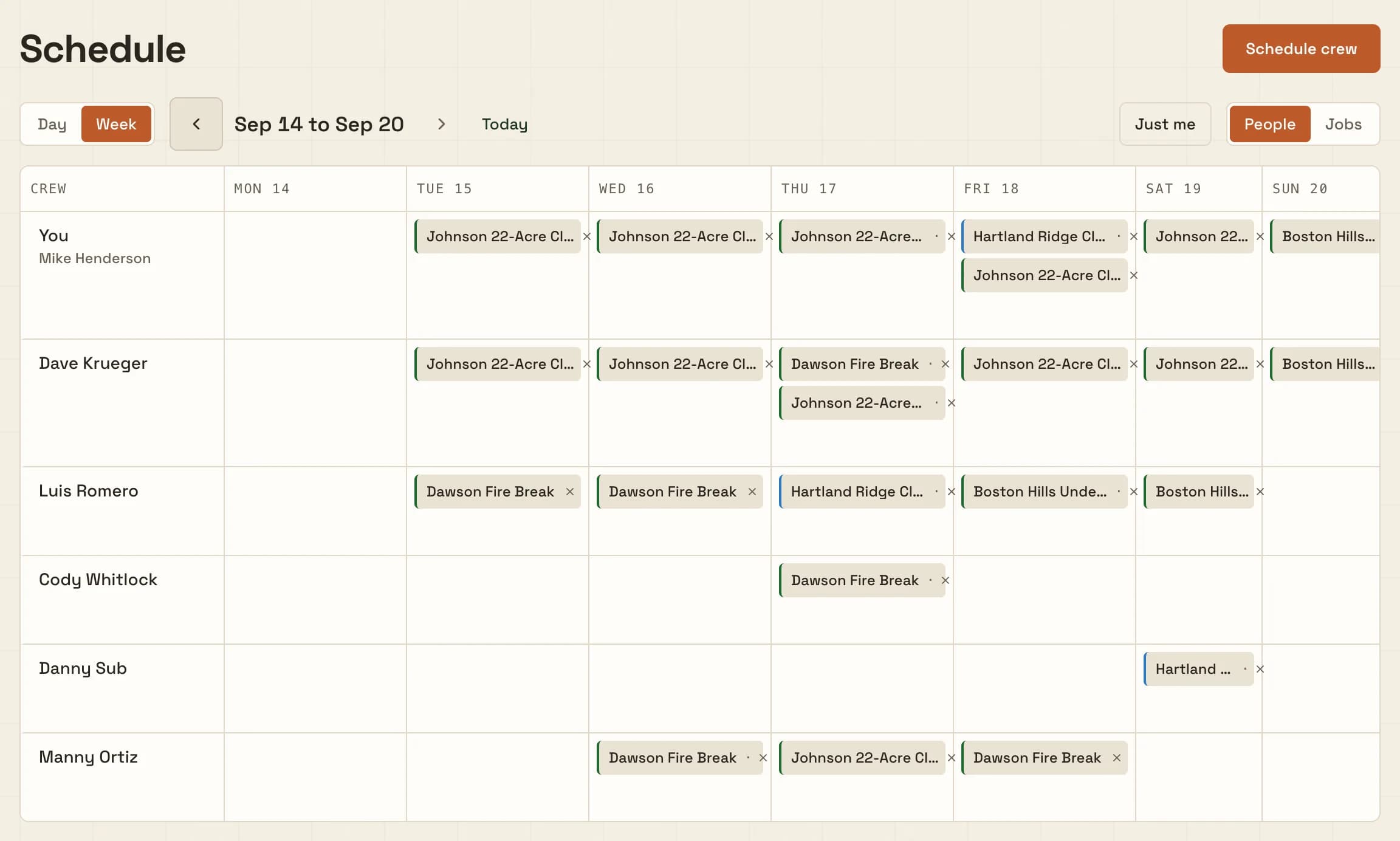
- Schedule
- A day board and week roster, not a dispatch calendar
- Notepad
- One per job for gate codes, site contacts, and the next shift. Edits merge, even offline.
- Offline
- Works with no signal, syncs when service returns
04Know your margin
See whether the job made money.
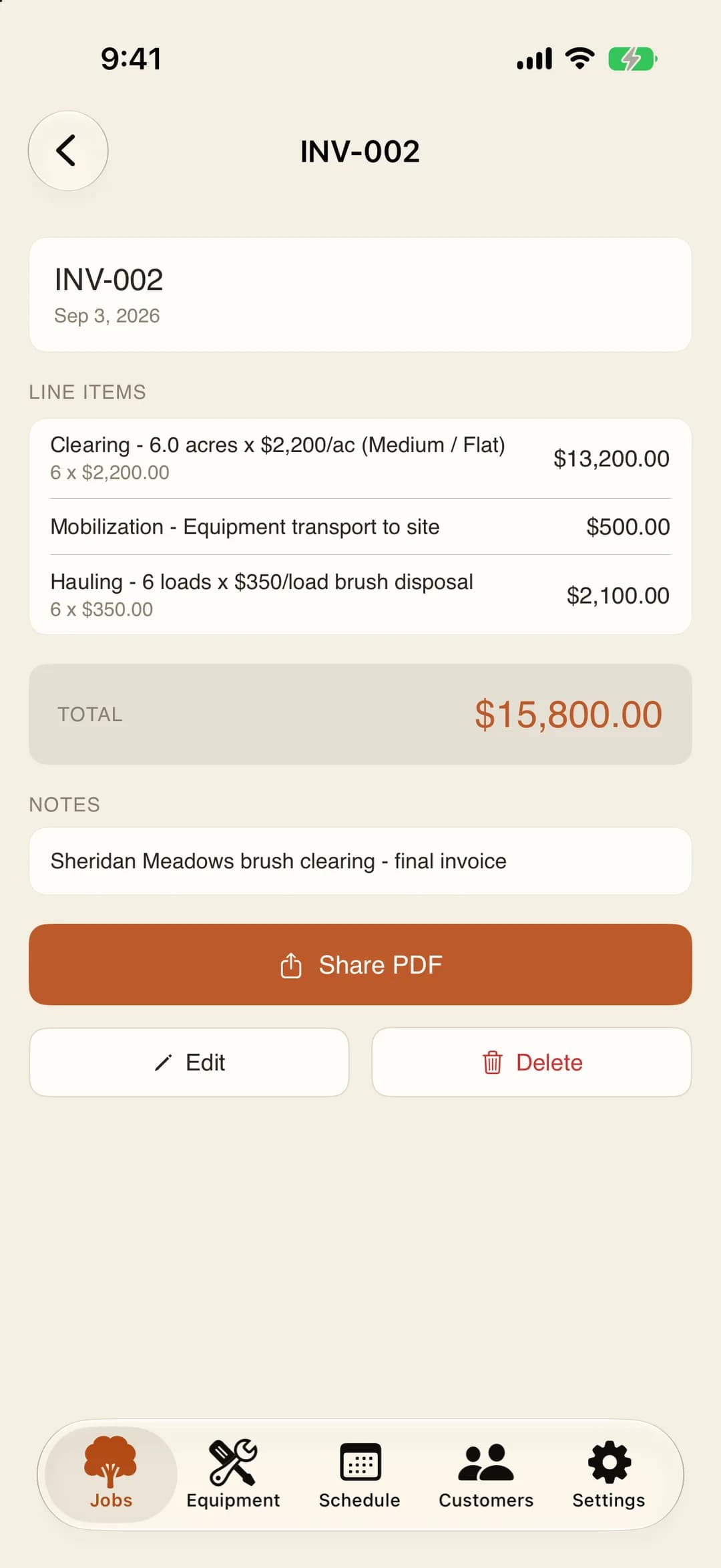
Estimated revenue against actual costs, green or red, per job. Then invoice from the estimate and email a branded PDF.
The old way: Did you actually make money on that 40-acre clear? No idea. The check cleared but so did a lot of diesel and teeth.
- Profit
- Estimated revenue against actual costs, per job
- Invoice
- Line items pull from the quote. Adjust if scope changed.
- Payments
- Customers pay you directly. MulchDeck never touches the money.
One plan. Your whole crew included.
Every feature, month to month, with a pause for the slow season.
One plan. Everything included.
$149/month, flat
Unlimited users. No per-seat pricing. No annual contract.
You, your operator, your office person, your sub. Everybody gets in. No charge per head.
Start free trial14-day free trial. No credit card. $149/month after.
Included in the plan
- Parcel boundary lookup from the address
- Satellite map estimate engine
- Rate card pricing (16 density x terrain prices)
- Branded PDF quotes sent from the field
- 5-day forecast for every job site
- Job tracking: hours, fuel, teeth, photos
- Crew schedule: day board and week roster
- Labor hours by person, day hands included
- Shared job notepad the whole crew edits
- Job photos on the invoice PDF
- PDF invoicing from estimate line items
- Profitability per job, bid vs actual
- Unlimited users and crew members
- Web, iPhone, and Android apps
- Offline sync for rural jobsites
- Customer list with job history
- Daily digest emails for your crew
- Free calculators (17 tools, no signup)
Slow season? Pause it.
Keep working to the end of the month you paid for. After that there is no charge, and your jobs, photos, and invoices stay put until you resume.
Free tools, the directory, and how we compare.
Free calculators
No signup, no ads. Figure out what a job should cost, what your day rate needs to be, or whether mulching beats bulldoze-and-haul.
- Land Clearing CostCost per acre by density and terrain.
- Crew Day RateWhat your day rate needs to be.
- Mulching EstimatorLine-item estimate with mobilization.
- Mulching vs. BulldozingSide-by-side with hidden costs.
- Stump Grinding CostPer-inch pricing, bulk discounts.
- Machine Cost / TCOCost per hour, payoff timeline.
Looking for a forestry mulching contractor?
Browse contractors by area and reach out to them directly. Run a mulching business? Get listed so homeowners nearby can find you. It is free.
Frequently asked questions
What is MulchDeck?
MulchDeck is bidding and job management software for forestry mulching and land clearing contractors. Type the address and it pulls the real parcel lines onto a satellite map, your rate card prices the acreage by density and terrain, and one tap sends a branded PDF quote from the truck. After you win it, crews log hours, fuel, and teeth from the field, you invoice from the quote, and every job shows its real margin. Customers pay you directly. MulchDeck never touches the money.
How much does MulchDeck cost?
MulchDeck is $149/month flat with unlimited users, no per-seat pricing, and no annual contract. You get a 14-day free trial with no credit card required. Pause in your slow season. No charge while paused, and your jobs and photos stay put until you resume.
Does MulchDeck work offline?
Yes. Photos, daily logs, and estimates are captured offline on rural acreage with no signal and sync automatically when your device reconnects.
Can two people write in the same job notepad at once?
Yes. Every job has one notepad the whole crew shares for gate codes, site contacts, and what to tell the next shift. Two people editing different lines both keep their changes, and edits made with no signal merge when the phone reconnects instead of overwriting whoever saved last.
What platforms does MulchDeck run on?
MulchDeck runs on the web, iPhone, and Android, with the same account and data synced across all three.
How does the estimating work?
Type the address and the parcel boundary loads on the satellite map, or draw the clearing area yourself. Pick vegetation density and terrain, and your saved rate card fills the per-acre price. Then add mobilization, stump treatment, and hauling to finish the quote.
Are there free tools I can use without signing up?
Yes. MulchDeck offers free land clearing calculators at mulchdeck.com/tools with no signup and no ads, including cost-per-acre, crew day rate, and mulching vs. bulldozing comparisons.